Is TradingView Worth it? An Honest TradingView Review



Editorial Note: While we adhere to strict Editorial Integrity, this post may contain references to products from our partners. Here's an explanation for How We Make Money. None of the data and information on this webpage constitutes investment advice according to our Disclaimer.
According to Traders Union’s experts, paying for TradingView Pro is worth it for traders who require advanced features and tools. TradingView Pro offers a range of benefits, including:
Access to a wide variety of indicators
Enhanced charting tools
Real-time data
Expanded watchlists
In this comprehensive review of TradingView in 2026, the experts at TU will delve into the question on every trader's mind: Is it worth paying for the Pro version? TradingView has gained immense popularity among traders for its powerful charting tools and vibrant community. In this guide, you will explore the cost and key benefits of both the Pro and basic versions to make an informed decision on whether TradingView is a worthy investment for your trading journey.
What is TradingView?

TradingView is a game-changing platform designed to make trading technology accessible and powerful for all traders. Developed by experienced traders and software experts, it brings interactive charts and widgets right to your web browser, using the latest advancements in cloud computing and browser languages. In fact, TradingView goes beyond being just a trading platform. It's a thriving social community where traders can connect, learn, and collaborate. One unique feature allows traders to instantly share live charts and technical analysis ideas, making it easier than ever to work together. TradingView is revolutionizing the trading landscape by providing a comprehensive and user-friendly experience for traders of all levels.
Who is TradingView for?
TradingView caters to a wide range of individuals involved in trading, investing, and analysis, regardless of their level of expertise. The platform serves as an ideal tool for those interested in technical analysis, charting, and generating trading ideas across diverse markets like stocks, Forex, futures, and cryptocurrencies. Seasoned traders and institutional investors rely on TradingView to conduct comprehensive market analysis, spot potential opportunities, and refine their trading strategies. They can even create personalized indicators, backtest trading concepts, and share their valuable insights with a vibrant community of like-minded individuals. Meanwhile, individual investors and traders benefit from TradingView's ability to analyze markets, discover fresh trading ideas, and make well-informed decisions. Real-time data from multiple exchanges, customizable alerts for price changes, and seamless trade execution further enhance the platform's appeal.
TradingView also extends its usability to beginners in the trading and investing sphere, offering a user-friendly interface and an abundance of educational resources, such as tutorials, articles, and webinars. With its intuitive nature, TradingView supports newcomers as they learn about different indicators, trading strategies, and the development of their unique trading style, while simultaneously providing powerful capabilities for experienced traders with their own customized scripts and decades of experience.
Key features and tools of TradingView
TradingView is a highly versatile charting platform that caters to traders, investors, and analysts of all skill levels. It provides a robust set of features to enhance market analysis and decision-making. The following are its main features:
Charting Tools: It offers a comprehensive range of tools for charting, including diverse chart types, multiple time frames, an extensive selection of technical indicators, and insights into trading volume. It also provides research tools and customizable drawing instruments, empowering users to conduct in-depth market analysis. Finally, it offers over 90 drawing tools that allow users to visually analyze market trends. These tools include lines, shapes, patterns, and annotations, helping traders identify crucial price levels, trends, and chart patterns
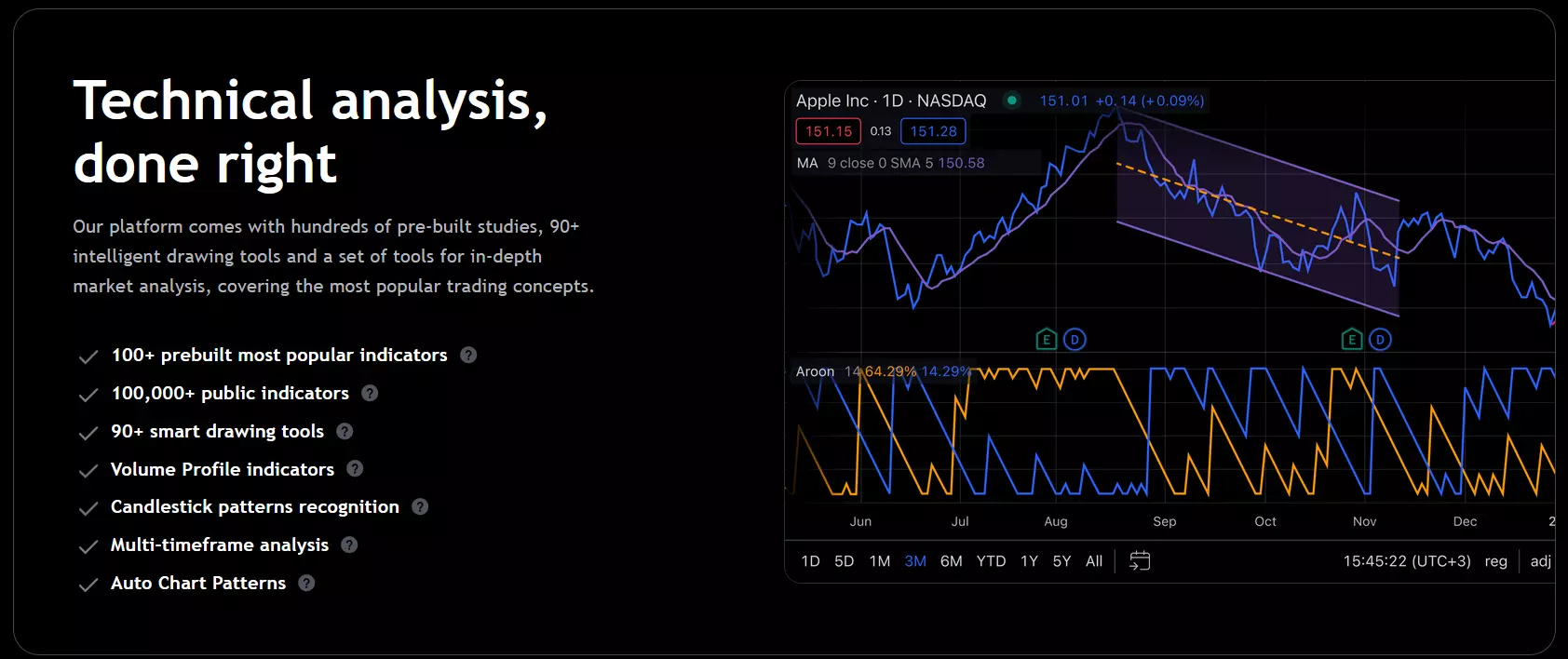 Charting Tools
Multi-Chart Support: With TradingView Ultimate, users can simultaneously view up to 16 charts with different symbols, time frames, and indicators. This feature enables traders to compare multiple assets or trading strategies side by side, facilitating comprehensive market analysis. Additionally, it supports exporting chart data and integrates with brokers for live trading, ensuring a seamless trading experience
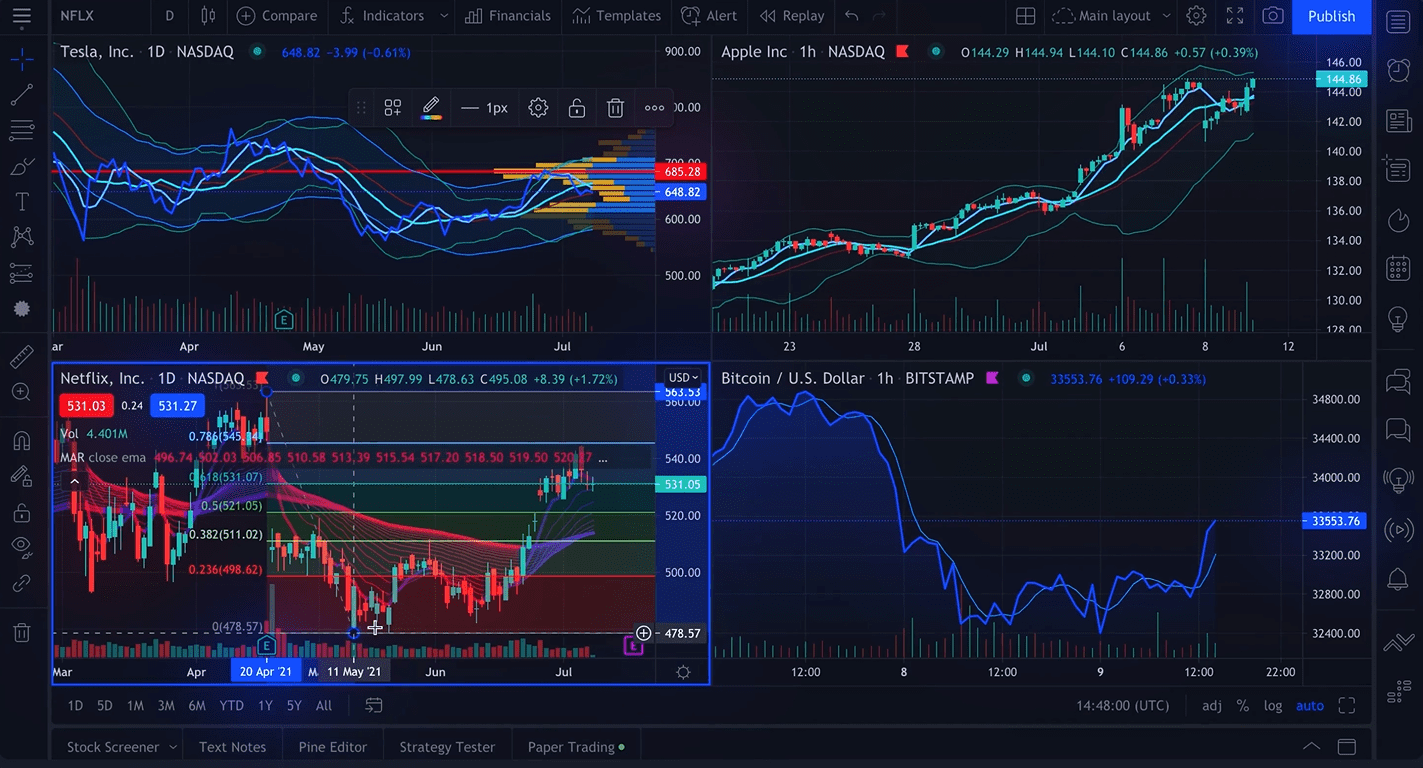 Multi-Chart Support
Desktop Platform: TradingView's Desktop platform is designed to optimize trading efficiency across multiple monitors. It allows users to create personalized layouts suited to their specific needs, enabling them to monitor various markets and instruments simultaneously
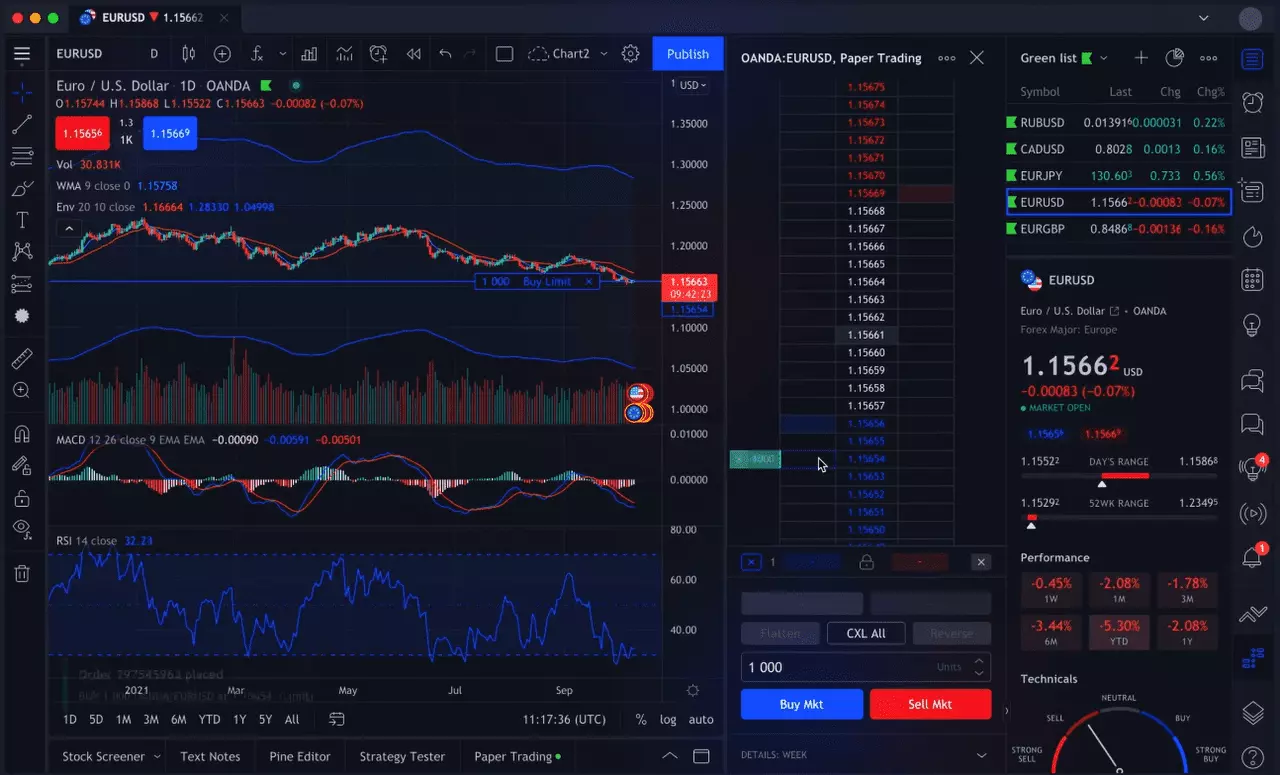 Desktop Platform
Trading Indicators: TradingView offers an extensive library of both standard and specialized indicators. Users can choose from a wide range of technical indicators to enhance their analysis and make more informed trading decisions. Furthermore, TradingView provides a scripting language that allows users to create custom indicators, catering to the needs of advanced traders and analysts
 Trading Indicators
Fundamental Analysis: It allows users to overlay fundamental data, such as income statements and balance sheets, onto charts. This feature provides valuable insights into market reactions and helps traders integrate fundamental analysis into their decision-making process
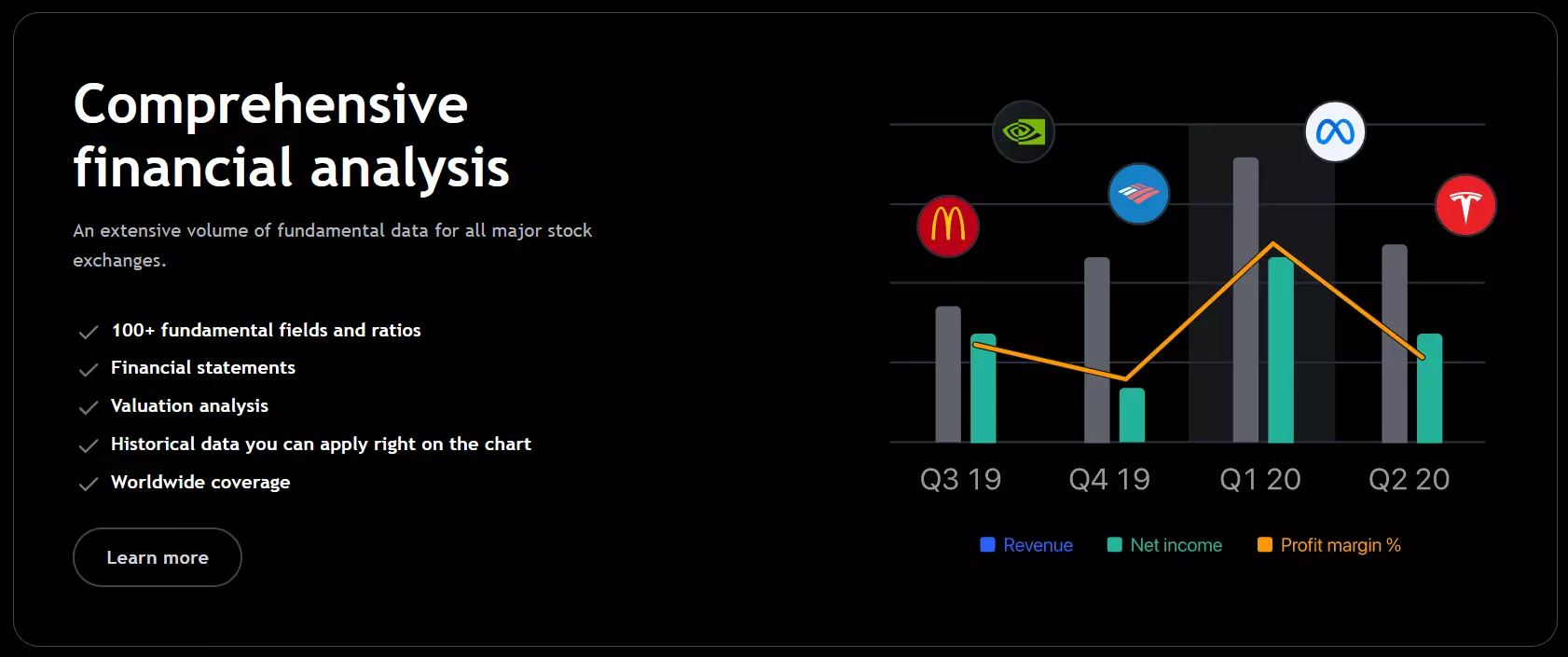 Fundamental Analysis
Screeners: TradingView includes stock, Forex screeners, and crypto screeners, enabling users to scan the market based on various criteria. These criteria may include performance, valuation, and oscillators. Traders can filter the results and export the data for further analysis or to identify potential trading opportunities
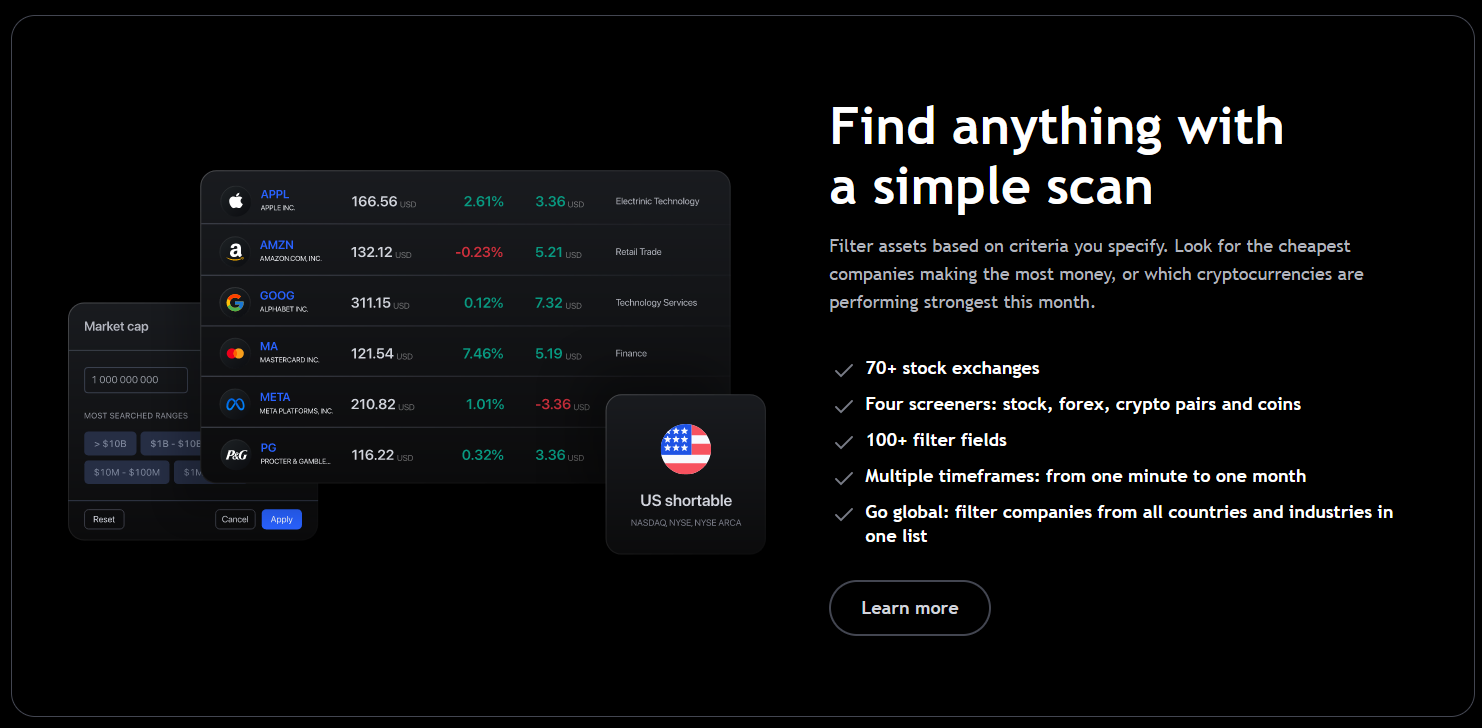 Forex Screener
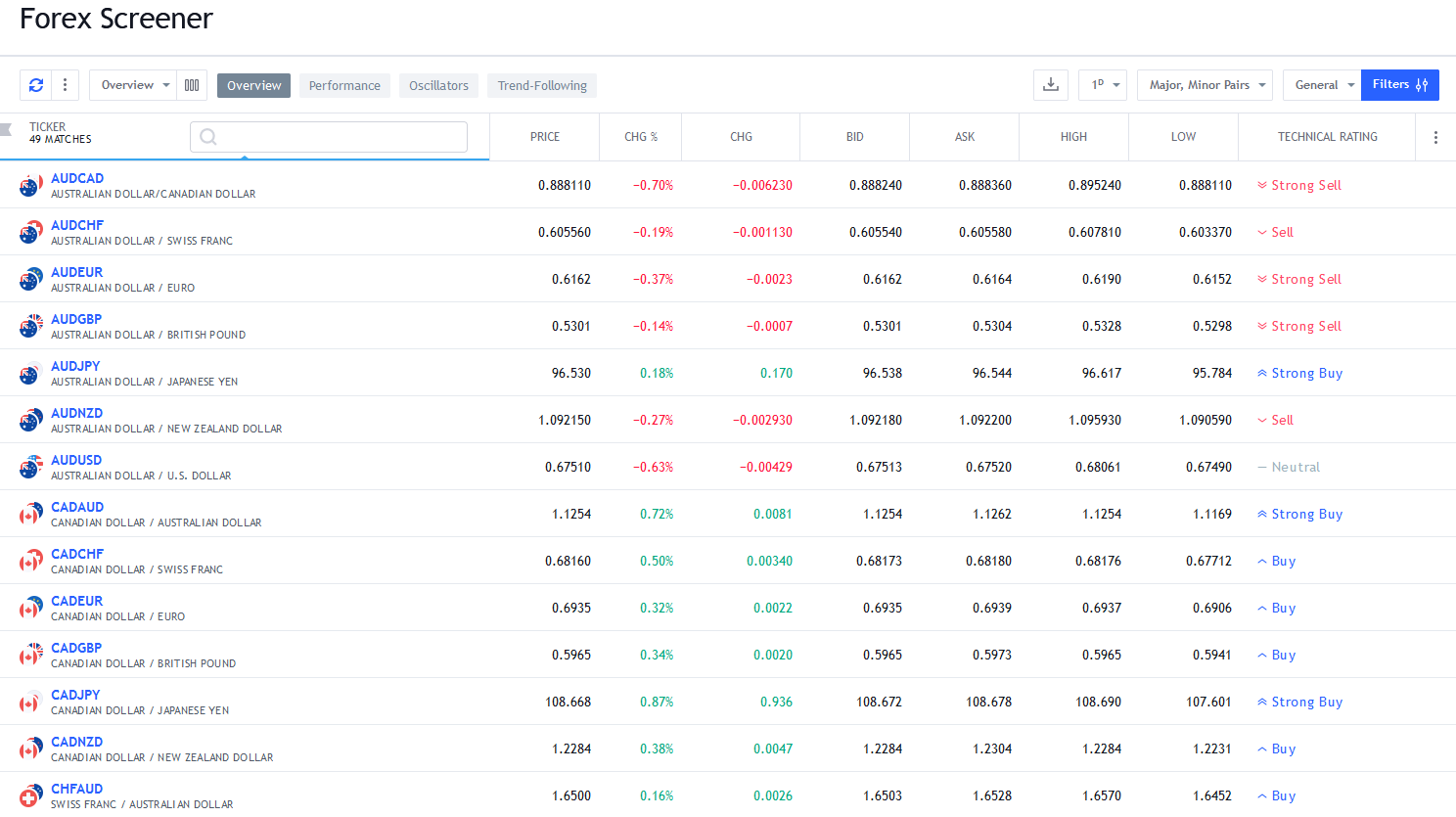 Forex Screener
Heatmaps: The platform offers stock and crypto heatmaps, visually representing gainers and decliners in the market. Users can apply filters based on financial figures to focus on specific sectors or assets of interest, facilitating efficient market analysis
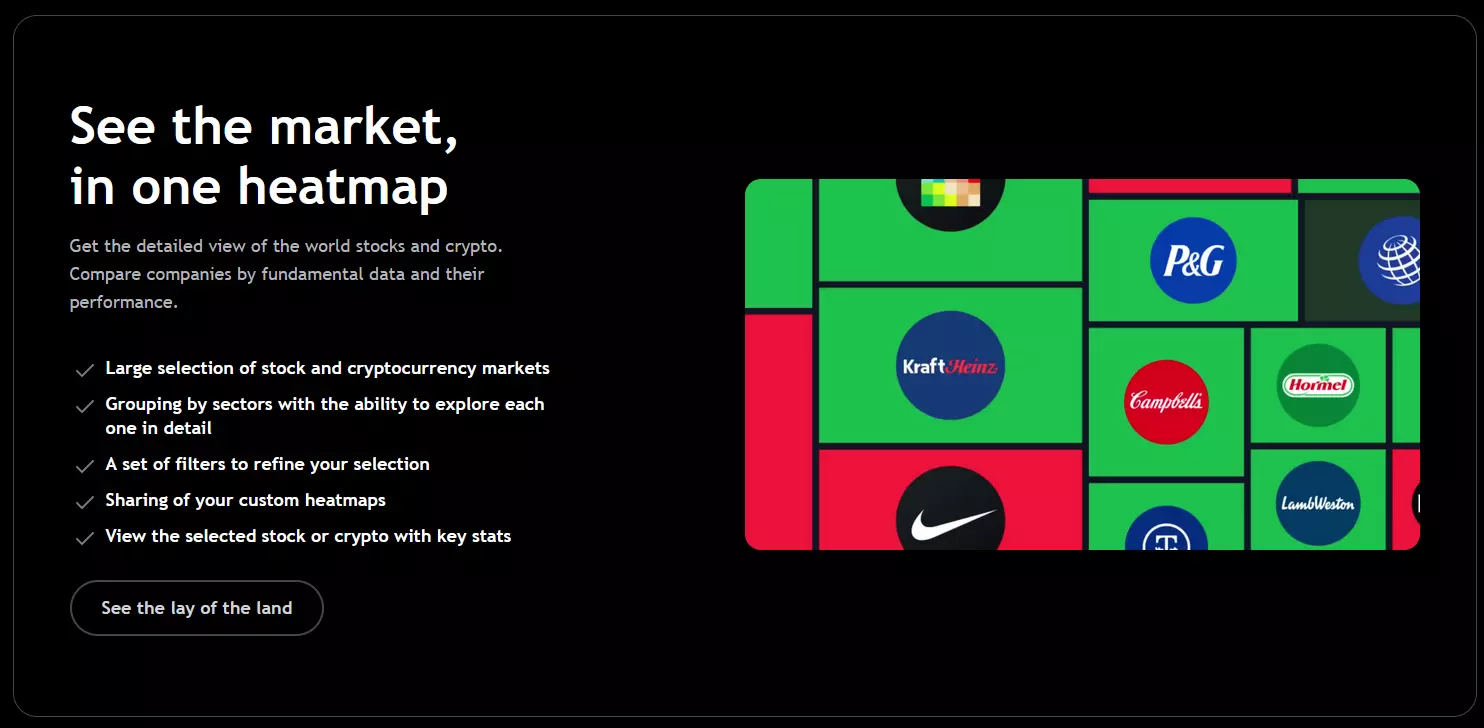 Heatmaps
Community: It boasts a large and active community of traders and experts. This community provides a platform for networking, idea exchange, and staying updated on investment trends. Users can engage in live streams, share trade ideas, access educational resources, and collaborate on custom script creation, fostering a collaborative and supportive trading environment
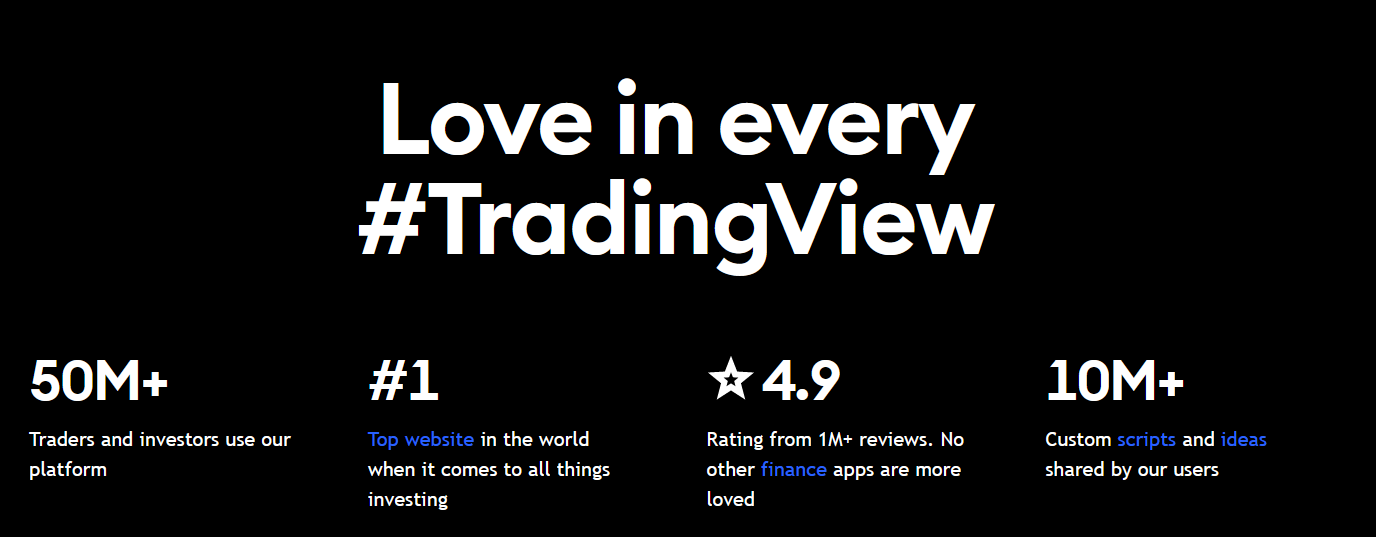 Community
Real-time News: It provides real-time market news from reputable sources, covering a wide range of financial instruments such as stocks, cryptocurrencies, and Forex. This feature enables users to stay informed about the latest developments that may impact their trading decisions
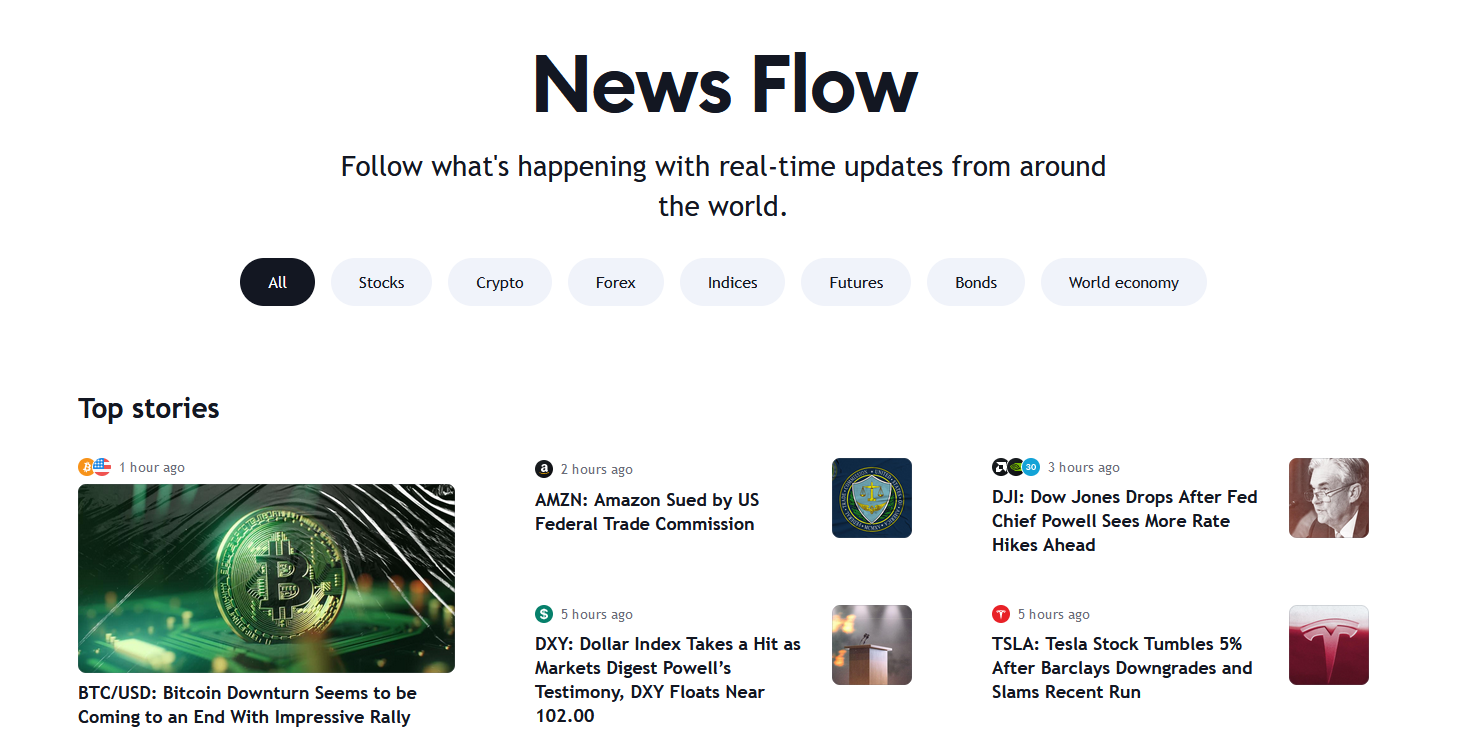 Real-time News
Broker Integration: The platform seamlessly integrates with various brokerage platforms, allowing users to place trades directly from the platform. This integration streamlines the trading process and eliminates the need to switch between multiple applications, ensuring a more efficient trading experience
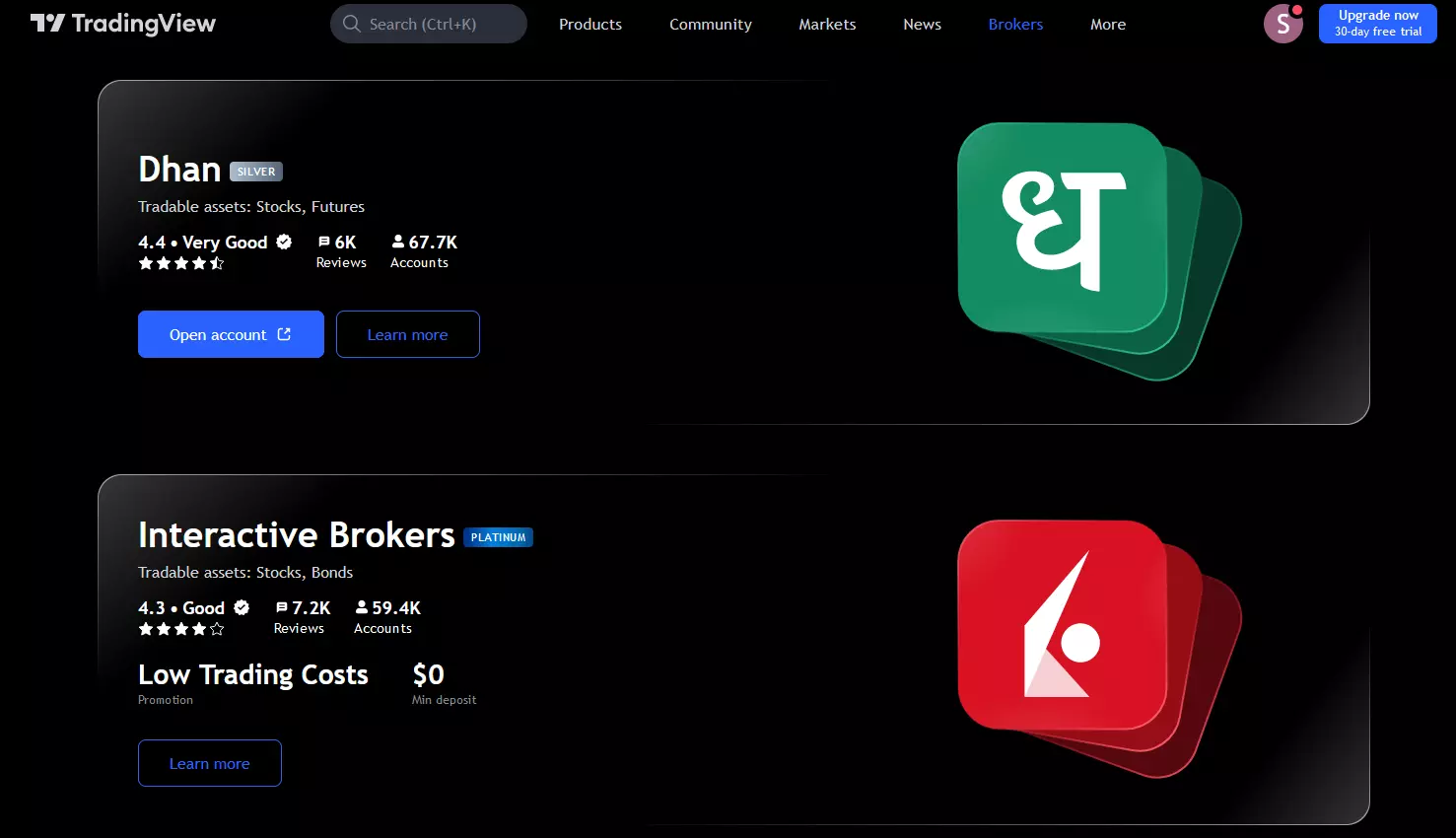 Broker Integration
Paper Trading Simulator: TradingView also offers a paper trading simulator for users to practice trading and test strategies without risking real money. Traders can customize the starting balance and track the performance of virtual trades, gaining valuable experience before entering live trading
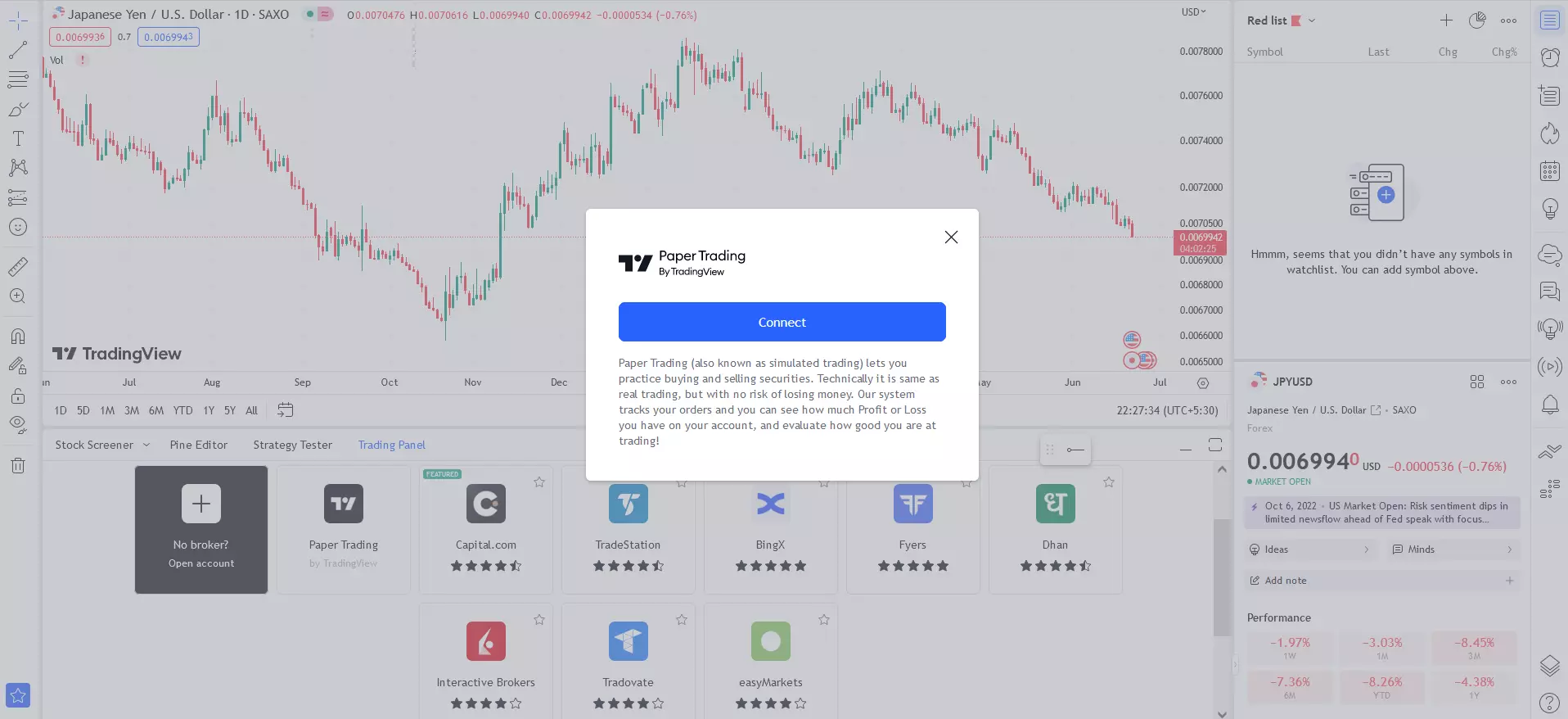 Paper Trading Simulator
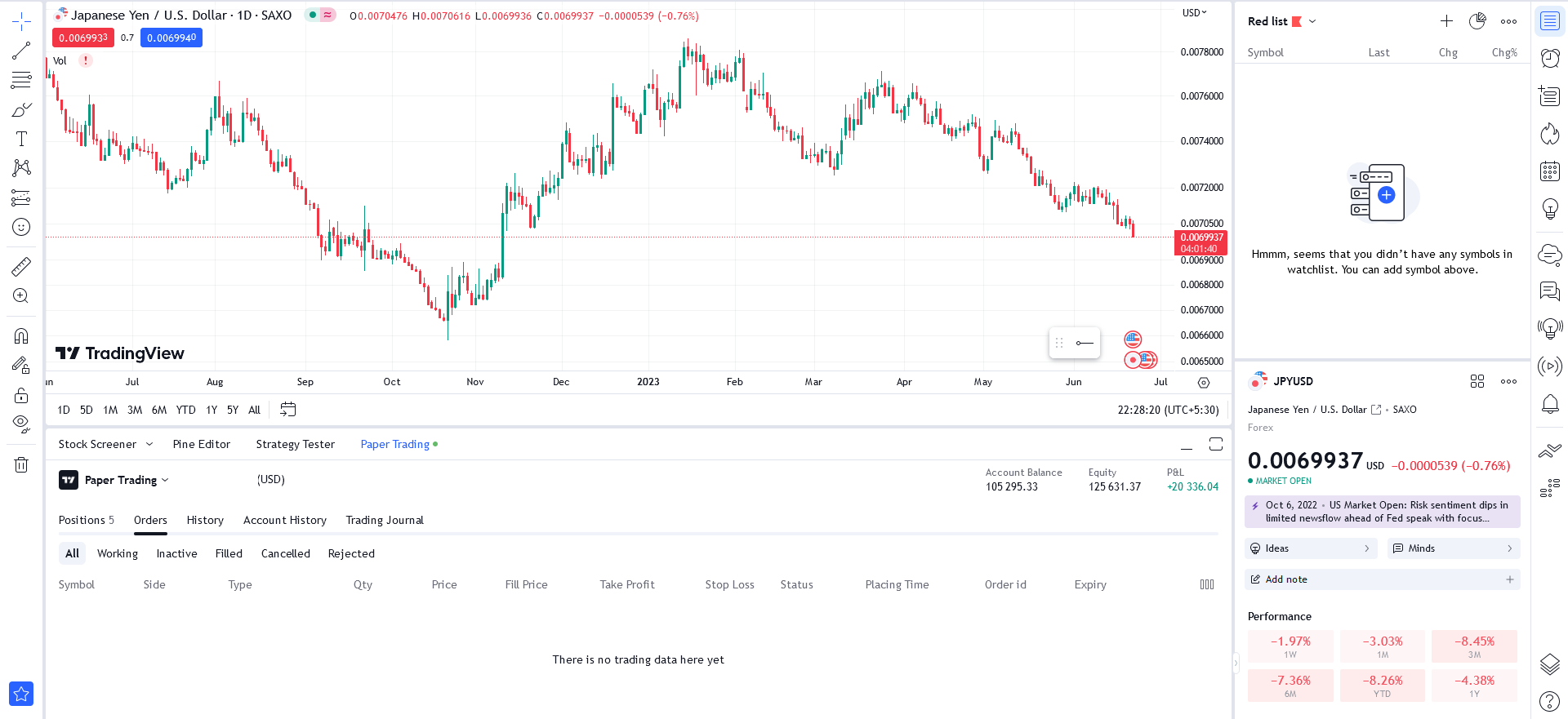 Paper Trading Simulator
Custom Watchlists: It provides comprehensive market data and built-in screener tools, equipping users with the necessary information for informed decision-making and identifying trading opportunities. Users can create custom watchlists based on criteria like technical indicators and fundamental data, enabling them to track their preferred assets or strategies more effectively
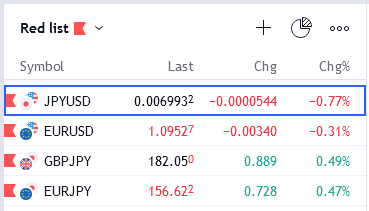 Custom Watchlists
API Integration: TradingView offers powerful API integration that allows users to seamlessly connect their own applications or third-party platforms with the TradingView ecosystem. This integration enables users to access and utilize TradingView's vast array of data and charting capabilities within their own software or trading systems. By integrating with TradingView's API, users can retrieve real-time market data, execute trades, and receive updates, enabling automated trading strategies and efficient data analysis
Education and Support on TradingView: TradingView is committed to providing comprehensive education and support to its users. The platform offers a wide range of educational resources to help traders and investors of all levels enhance their knowledge and skills. This includes detailed tutorials, guides, and articles that cover various trading concepts, strategies, and platform features. Additionally, it hosts webinars and live events where users can learn from industry experts and gain valuable insights. In addition to the educational resources, the platform also provides a robust support system. Users can access a knowledge base with frequently asked questions, submit support tickets for personalized assistance, and participate in the active community forum. The forum serves as a hub for users to seek help, share trading ideas, discuss strategies, and engage with other members of the community
Pine Script: TradingView's proprietary scripting language, Pine Script, is a powerful tool that allows users to create custom technical indicators, strategies, and alerts. With Pine Script, traders and analysts can bring their unique ideas to life and develop tailored tools to enhance their trading decisions. The language is designed to be beginner-friendly yet robust enough to handle complex calculations and trading logic. The platform provides extensive documentation, including a comprehensive Pine Script manual, code examples, and a dedicated editor within the platform for testing and validating scripts. Additionally, TradingView has a thriving community of Pine Script developers who actively share their scripts, collaborate on projects, and provide support to fellow users. This collaborative ecosystem empowers users to leverage the full potential of Pine Script and customize their trading experience to suit their individual needs
Does TradingView offer signals?
TradingView provides a robust alert system that allows users to set price alerts for their favorite stocks and assets. These alerts can be easily configured with a few clicks, ensuring that traders stay informed about market movements. The number of alerts available depends on the subscription plan.
TradingView alerts can be set based on specific price levels as well as indicators, trading strategies, or custom drawings. When an alert is triggered, users receive notifications through various channels, including email-to-SMS alerts, visual popups, audio signals, PUSH notifications, emails, or webhook notifications.
These alerts are triggered when certain pre-defined criteria are met, such as specific prices, indicator values, trading strategy conditions, or custom drawings on the chart. Users have the flexibility to choose the type of alert that suits their needs and can receive visual pop-ups, audio signals, email alerts, email-to-SMS alerts, or push notifications on their mobile devices.
Apart from price-based alerts, TradingView also provides the ability to set alerts for various technical indicators, such as Moving Averages and Bollinger Bands. Traders can configure alerts for situations like indicator crossovers or when an indicator reaches a specific level. These indicator alerts enable traders to respond promptly to changes in market conditions and seize potential opportunities.
The alert system offered by TradingView is comprehensive, supporting real-time price alerts, alerts based on over 1,000 indicators (including custom ones), alerts triggered by strategy executions, and alerts based on user-drawn elements on the chart. Various types of alerts are available, including crossing, greater than/less than, entering/exiting channels, moving up/down, and more. Traders have the flexibility to customize their alerts and choose the desired notification types, ensuring they receive timely updates on any device.
TradingView's server-side alerts help traders effectively manage multiple assets by providing notifications when the current price hits predefined levels. This feature is particularly useful for tracking support and resistance levels and ensuring that traders don't miss out on potential buying opportunities. Traders can configure alerts to be one-time or recurring, set specific price levels or percentage moves, and even integrate external applications through webhook notifications, albeit with some development effort.
Learn also about EzAlgo - trading indicator designed to work seamlessly with TradingView, offering real-time signals for a wide range of markets, including cryptocurrencies, Forex, stocks, and futures.
TradingView cost and pricing
TradingView offers a range of subscription plans designed to meet the needs of traders at different experience levels – from beginners to professionals managing multiple markets simultaneously. Each plan varies in terms of charting capabilities, alert limits, data access, and analytical tools. The table below provides a detailed comparison of TradingView’s main plans, helping you choose the option that best fits your trading style and analytical requirements.
| Features | Basic | Essential | Plus | Premium | Ultimate |
|---|---|---|---|---|---|
| Charts per tab | 1 | 2 | 4 | 8 | 16 |
| Saved chart layouts | 1 | 5 | 10 | ∞ | ∞ |
| Custom time intervals | No | Yes | Yes | Yes | Yes |
| Intraday Renko, Kagi, Line Break, Point & Figure | No | No | Yes | Yes | Yes |
| Custom Range bars | No | Yes | Yes | Yes | Yes |
| Dividend-adjusted charts | Yes | Yes | Yes | Yes | Yes |
| Indicators per chart | 2 | 5 | 10 | 25 | 50 |
| Smart drawing tools (110+) | Yes | Yes | Yes | Yes | Yes |
| Backtesting for trading strategies | Yes | Yes | Yes | Yes | Yes |
| Active price alerts | 3 | 20 | 100 | 400 | 1,000 |
| Parallel chart connections | 2 | 10 | 20 | 50 | 200 |
| Indicator on indicator | 1 | 1 | 9 | 24 | 49 |
| Ad-free experience | No | Yes | Yes | Yes | Yes |
| Bar Replay | Yes | Yes | Yes | Yes | Yes |
| Volume Profile & Footprint | No | Yes | Yes | Yes | Yes |
| Custom formulas & export data | No | No | Yes | Yes | Yes |
| Customer support | No | Regular | Priority | Priority | First priority |
TradingView offers a variety of subscription plans designed to suit traders and investors with different levels of experience. Each plan provides a unique set of tools, charting capabilities, and analytical features to help users make informed trading decisions.
Basic: the free Basic plan offers essential charting and analysis tools suitable for beginners. Users can access one chart per tab, two indicators per chart, and three alerts. This plan includes ads but provides all the core functionality needed to explore market data and start building trading strategies.
Essential: the Essential plan expands analytical capabilities with two charts per tab, up to five indicators per chart, and 20 alerts. It removes ads, supports custom time intervals, and gives access to additional chart types such as Range Bars. This plan is ideal for traders seeking greater flexibility and a smoother trading experience.
Plus: the Plus plan is tailored for active traders who need broader analytical capacity. It includes up to four charts per tab, ten indicators per chart, and 100 alerts. Subscribers also benefit from advanced chart customization, data export options, and access to intraday chart types such as Renko and Kagi.
Premium: designed for professional traders, the Premium plan offers eight charts per tab, 25 indicators per chart, and 400 alerts. It supports seconds-based intervals, provides faster data updates, and includes priority customer support. Premium users also enjoy exclusive features like invite-only indicators and unlimited chart layouts.
Ultimate: the Ultimate plan delivers TradingView’s most advanced toolkit for institutional traders and financial professionals. With 16 charts per tab, 50 indicators per chart, and 1,000 alerts, it enables extensive multi-market monitoring and complex analysis. Users gain enhanced parallel connections, advanced analytics, and full platform performance optimization.

Pros and cons of TradingView
- Pros
- Cons
- Free plan: TradingView offers a complimentary plan that allows users to access a variety of features without incurring any cost. This is advantageous for traders who are looking for a budget-friendly option to conduct their market analysis and make informed trading decisions
- Advanced analytical tools: It provides a comprehensive range of advanced analytical tools that enable users to delve deep into market data and perform detailed technical analysis. These tools empower traders to identify patterns, trends, and potential trading opportunities with precision and accuracy
- Screeners for a wide range of securities: It incorporates powerful screeners for stocks, foreign exchange (Forex), and cryptocurrencies. These screeners enable users to filter and scan the market based on specific criteria such as price, volume, market capitalization, and technical indicators. This feature saves time and effort by narrowing down the universe of tradable assets to those that meet the user's predefined parameters
- Engaged community of investors: The platform boasts an active community of traders and investors who share their insights, ideas, and strategies on the platform. This vibrant community fosters collaboration, knowledge sharing, and learning opportunities, making it a valuable resource for traders to gain different perspectives and stay updated with market trends
- Global market access: It provides users with access to a wide range of global markets, including stocks, indices, commodities, Forex, and cryptocurrencies. This global reach expands trading opportunities and allows users to diversify their investment portfolios across different markets and asset classes
- Comprehensive charting tools: As a significant plus point, it offers an extensive suite of charting tools that allow users to customize their charts according to their preferences and trading strategies. These tools include a wide range of technical indicators, drawing tools, and chart types, enabling traders to perform detailed technical analysis and visualize market patterns effectively
- Educational resources: TradingView understands the importance of education in trading success. The platform provides a wealth of educational resources, including tutorials, articles, webinars, and a knowledge base. These resources equip users with the necessary skills, strategies, and market insights to enhance their trading proficiency and make informed decisions
- Limitations of free plan: While TradingView offers a free plan, it comes with certain limitations. Users on the free plan may not have access to advanced features, additional charts, and an extensive range of technical indicators. This can restrict the capabilities of users who require more advanced tools for their trading analysis
- Customer support challenges: Some users have reported challenges with TradingView's customer support. These challenges include delayed response times and difficulties in resolving issues promptly. Effective customer support is crucial for users who encounter technical difficulties, have inquiries, or require assistance. When support is not readily available or lacks responsiveness, it can impede the overall user experience and cause frustration for traders
Is TradingView worth it?
When it comes to charting platforms, TradingView is a must-have tool for traders. Its fast, reliable, and affordable nature makes it a standout choice. With a wide range of TradingView indicators and analysis tools available, TradingView caters to all the trading needs and goes beyond expectations. Its minimalist design ensures simplicity and effectiveness in trading. Moreover, the platform is highly affordable, making it accessible to traders of all levels.
The platform is not only beneficial for me but also for anyone looking for a reliable trading platform. With a user base of over 30 million traders, it has gained trust and popularity due to its outstanding features. Real-time data, customizable charts and indicators, social networking capabilities, and the ability to share ideas with a community of traders are some of the perks of using TradingView.
One of the standout aspects of TradingView is its user-friendly interface. Navigating the platform is a breeze, and traders have access to a wide range of customizable tools and charts to tailor their trading experience to their preferences and strategies. TradingView's intuitive design enhances the trading journey and allows traders to focus on making informed decisions.
In summary, TradingView is definitely worth considering for traders of all levels due to its fast, reliable, and affordable nature, extensive range of tools and indicators, and user-friendly interface that simplifies the trading process.
Read also: TradingView vs. MT4: A Comprehensive Comparison in the TU article.
Best brokers with TradingView support
TradingView’s powerful charting and analytical tools are integrated with a number of trusted Forex and CFD brokers, allowing traders to execute orders directly from the TradingView platform. Partner brokers offer seamless connectivity, real-time data, and a smooth trading experience across multiple markets. The table below highlights the best brokers that support TradingView, comparing their key features, minimum deposits, and trading conditions to help you choose the one that best fits your needs.
| Trading.com USA | Plus500 | OANDA | FOREX.com | IG Markets | |
|---|---|---|---|---|---|
|
Currency pairs |
69 | 60 | 68 | 80 | 80 |
|
Crypto |
No | Yes | Yes | Yes | Yes |
|
Stocks |
No | Yes | Yes | Yes | Yes |
|
Futures |
No | Yes | No | Yes | Yes |
|
ETFs |
No | Yes | No | Yes | Yes |
|
Min. deposit, $ |
50 | 100 | No | 100 | 1 |
|
Max. leverage |
1:50 | 1:300 | 1:200 | 1:50 | 1:200 |
|
Standard EUR/USD spread |
1.1 | 0.7 | 0.3 | 1.0 | 0.9 |
|
TradingView |
No | No | No | No | No |
|
Max. Regulation Level |
Tier-1 | Tier-1 | Tier-1 | Tier-1 | Tier-1 |
|
TU overall score |
8.75 | 8.45 | 7.02 | 6.88 | 6.86 |
|
Open an account |
Go to broker Your capital is at risk. |
Go to broker 80% of retail CFD accounts lose money. |
Go to broker Your capital is at risk. |
Study review | Study review |
Invest in your workflow

As someone who actively uses TradingView across multiple markets, I can say that the real value of upgrading to a paid plan isn’t just about more charts or alerts – it’s about workflow efficiency. The platform’s smooth execution, accurate data, and flexibility in creating custom indicators through Pine Script can save hours of manual analysis every week.
If you trade actively or manage several portfolios, I recommend moving beyond the free version as soon as your strategy requires multi-timeframe analysis or multiple layouts. Think of TradingView Essential or higher tiers not as an expense, but as an investment in precision and decision speed. A well-structured chart setup and real-time data access often make the difference between spotting a profitable trade and missing it.
Conclusion
In summary, TradingView Pro in 2026 continues to set itself apart with advanced features that empower active traders and serious investors alike. The platform’s real-time data access, enhanced charting tools, and robust alert system streamline market analysis and enable swift decision-making. For instance, the multi-chart layout and custom indicator support prove invaluable for those managing multiple assets or testing nuanced strategies. Ultimately, if you’re looking to elevate your trading with sophisticated tools and a seamless user experience, upgrading to TradingView Pro is more an investment in your edge than just another expense.
FAQs
How does TradingView support strategy backtesting and custom indicator development?
What types of alerts can be set on TradingView, and how do they help manage trades?
Can beginners benefit from TradingView, and what features cater specifically to novice traders?
What role does the TradingView community play in enhancing the platform’s value for users?
Editors' Top Picks and Insights

Crypto on the court: How NBA Finals became a showcase for Ledger

How to build wealth from scratch in 3 practical steps

Kospi Index crash: Why South Korean market fell alongside AI stocks

Bitcoin or Ferrari: Which investment is better?

Strategy sells Bitcoin: Small sale tests market confidence

Ledger vs. Trezor: Search for ideal crypto wallet
Related Articles
Team that worked on the article
Chinmay Soni is a financial analyst with more than 5 years of experience in working with stocks, Forex, derivatives, and other assets. As a founder of a boutique research firm and an active researcher, he covers various industries and fields, providing insights backed by statistical data.
Dr. BJ Johnson is a PhD in English Language and an editor with over 15 years of experience. He earned his degree in English Language in the U.S and the UK.
Mirjan Hipolito is a journalist and news editor at Traders Union. She is an expert crypto writer with five years of experience in the financial markets.
Index in trading is the measure of the performance of a group of stocks, which can include the assets and securities in it.
Forex indicators are tools used by traders to analyze market data, often based on technical and/or fundamental factors, to make informed trading decisions.
Day trading involves buying and selling financial assets within the same trading day, with the goal of profiting from short-term price fluctuations, and positions are typically not held overnight.
Forex leverage is a tool enabling traders to control larger positions with a relatively small amount of capital, amplifying potential profits and losses based on the chosen leverage ratio.
A trading system is a set of rules and algorithms that a trader uses to make trading decisions. It can be based on fundamental analysis, technical analysis, or a combination of both.

-
 Afghanistan
-
 Albania
-
 Algeria
-
 Angola
-
 Argentina
-
 Armenia
-
 Australia
-
 Austria
-
 Azerbaijan
-
 Bahamas
-
 Bahrain
-
 Bangladesh
-
 Belarus
-
 Belgium
-
 Bolivia
-
 Botswana
-
 Brazil
-
 Brunei
-
 Bulgaria
-
 Cambodia
-
 Cameroon
-
 Canada
-
 Chile
Chile
-
 China
China
-
 Colombia
-
 Congo
Congo
-
 Costa Rica
-
 Cote d'Ivoire
-
 Croatia
-
 Cuba
Cuba
-
 Cyprus
-
 Czechia
-
 DR Congo
-
 Denmark
-
 Dominican Republic
-
 Ecuador
-
 Egypt
Egypt
-
 El Salvador
-
 Estonia
-
 Eswatini
-
 Ethiopia
-
 Finland
-
 France
-
 Georgia
-
 Germany
-
 Ghana
Ghana
-
 Greece
-
 Haiti
Haiti
-
 Hong Kong
-
 Hungary
-
 India
India
-
 Indonesia
-
 Iran, Islamic republic
-
 Iraq
Iraq
-
 Ireland
-
 Israel
-
 Italy
Italy
-
 Jamaica
-
 Japan
Japan
-
 Jordan
-
 Kazakhstan
-
 Kenya
Kenya
-
 Korea
Korea
-
 Kuwait
-
 Kyrgyzstan
-
 Laos
Laos
-
 Latvia
-
 Lebanon
-
 Lesotho
-
 Libya
Libya
-
 Lithuania
-
 Luxembourg
-
 Madagascar
-
 Malaysia
-
 Malta
Malta
-
 Mauritius
-
 Mexico
-
 Moldova
-
 Mongolia
-
 Montenegro
-
 Morocco
-
 Mozambique
-
 Myanmar
-
 Namibia
-
 Nepal
Nepal
-
 Netherlands
-
 New Zealand
-
 Nigeria
-
 North Macedonia
-
 Norway
-
 Oman
Oman
-
 Pakistan
-
 Palestine
-
 Panama
-
 Papua New Guinea
-
 Paraguay
-
 Peru
Peru
-
 Philippines
-
 Poland
-
 Portugal
-
 Puerto Rico
-
 Qatar
Qatar
-
 Reunion
-
 Romania
-
 Rwanda
-
 Saudi Arabia
-
 Serbia
-
 Singapore
-
 Slovakia
-
 Slovenia
-
 Somalia
-
 South Africa
-
 Spain
Spain
-
 Sri Lanka
-
 Sweden
-
 Switzerland
-
 Syria
Syria
-
 Taiwan
-
 Tajikistan
-
 Tanzania
-
 Thailand
-
 Trinidad and Tobago
-
 Tunisia
-
 Turkey
-
 UAE
UAE
-
 Uganda
-
 Ukraine
-
 United Kingdom
-
United States
-
 Uruguay
-
 Uzbekistan
-
 Venezuela
-
 Vietnam
-
 Yemen
Yemen
-
 Zambia
-
 Zimbabwe
- Forex
- Crypto